Hi,
Just something I thought could be useful.
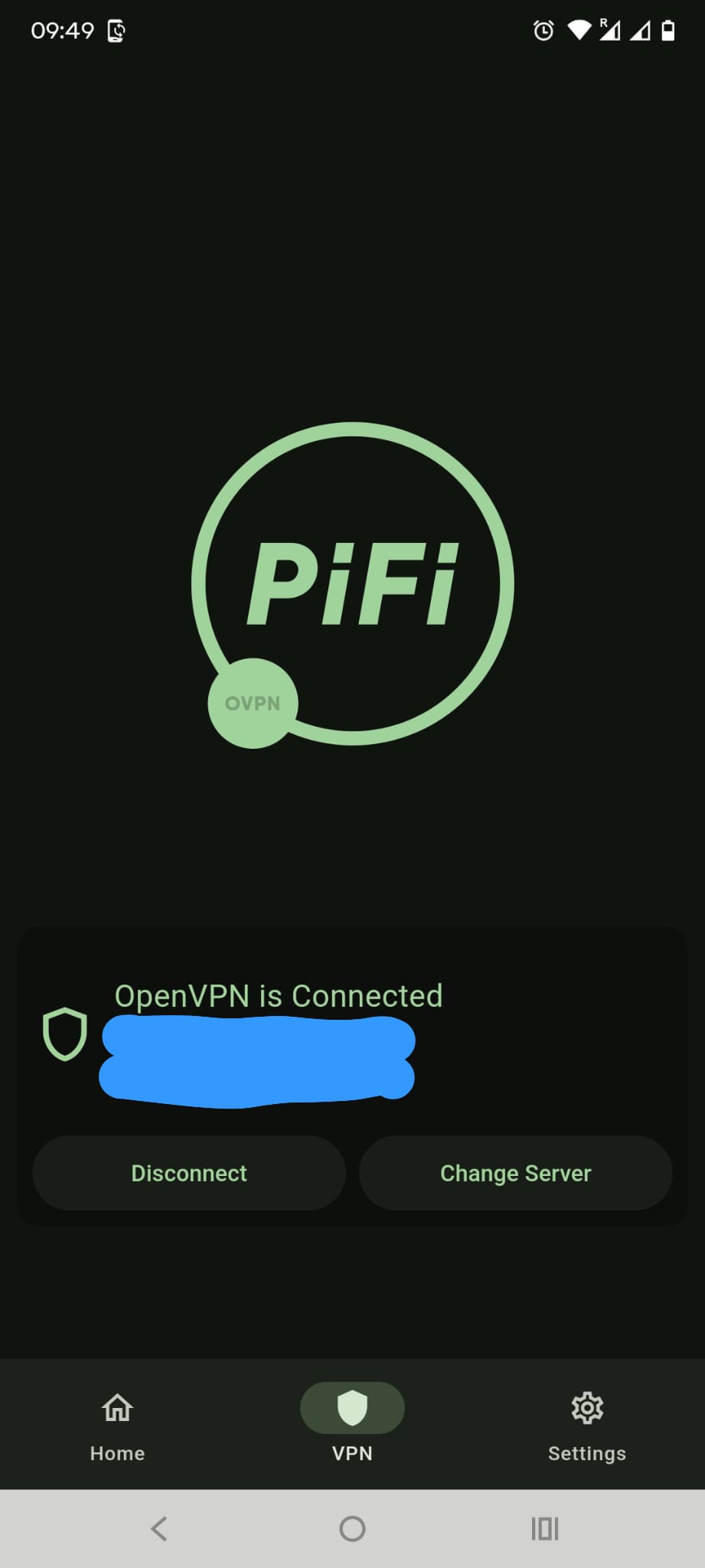
When I open PiFi app and get to “Your PiFi is ready , Continue” on the next page I see the PiFi logo with OVPN and below it I see the message "OpenVPN is connected, server name and IP address , Disconnect , Change server "
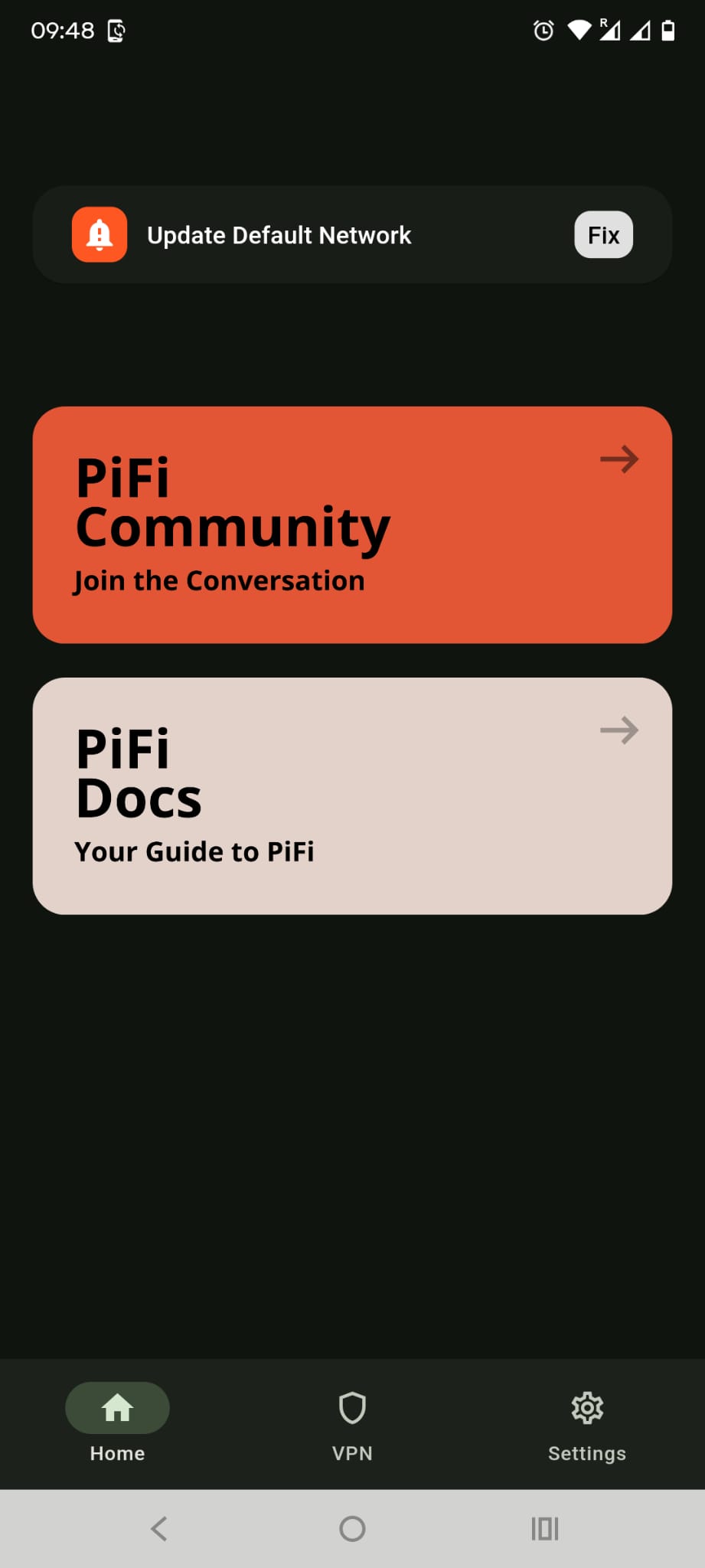
I was wondering if you could have that message ( or an abbreviated version of it , maybe a green tick icon or green radio button etc ) displayed on the PiFi app homepage ( i.e something that will display without me having to click on VPN )
So that I only have to go through the process once. Then on subsequent times when I open the app I see that it’s connected?
I ask because when the phone goes to sleep, self locks etc and I have to reopen the app then sometimes I don’t get back to the " Your PiFi is ready, Continue " page.
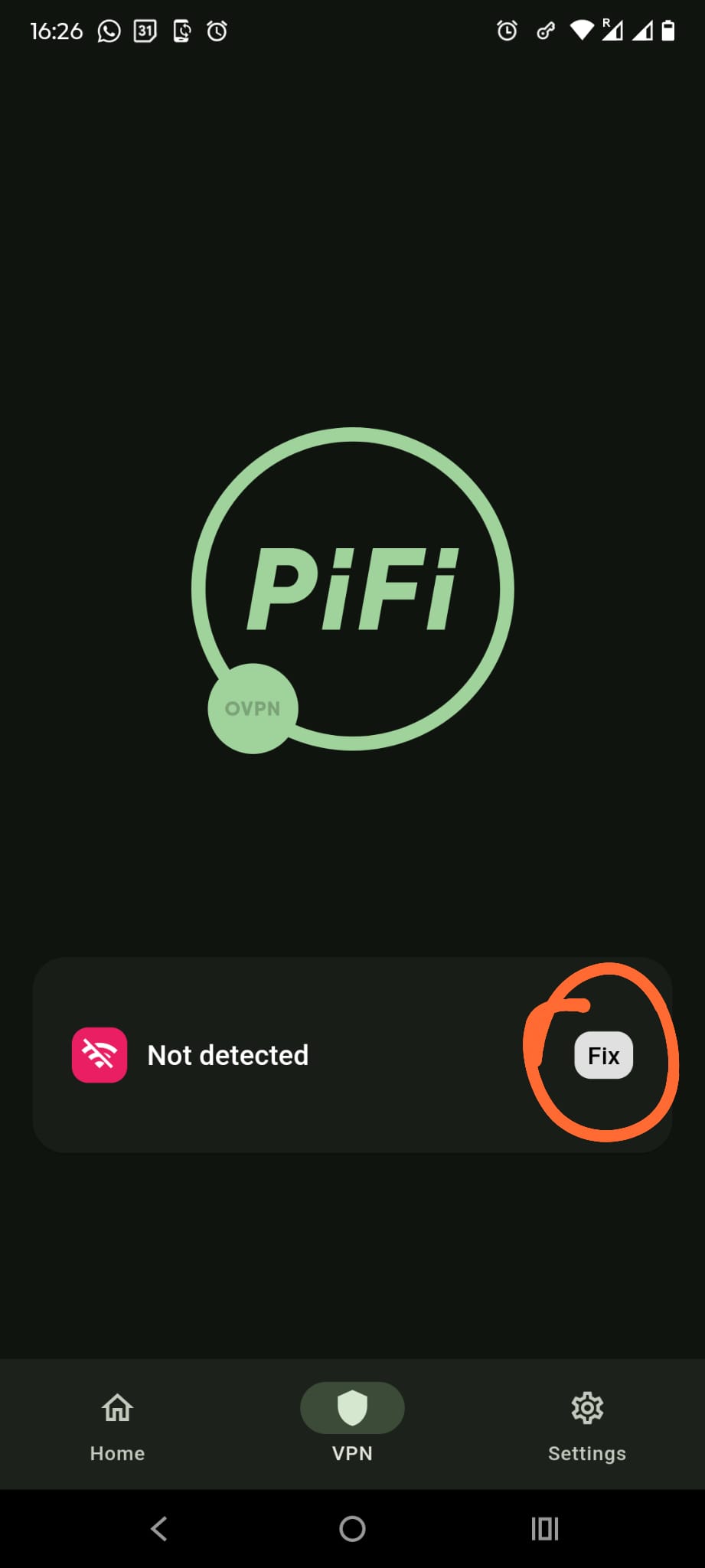
It’s kind of hit and miss. I have to click on the VPN button and then I have to click on “Fix”. At this point, sometimes it won’t sign in and bring me to the “Your PiFi is ready, Continue” page etc
I’m not sure how hard that would be to implement but thought it would add some extra functionality to the app.
I also don’t know the inherent behaviour of the app and if making that enhancement would prevent the above issue from occuring but wanted to suggest the idea anyway.
Thanks