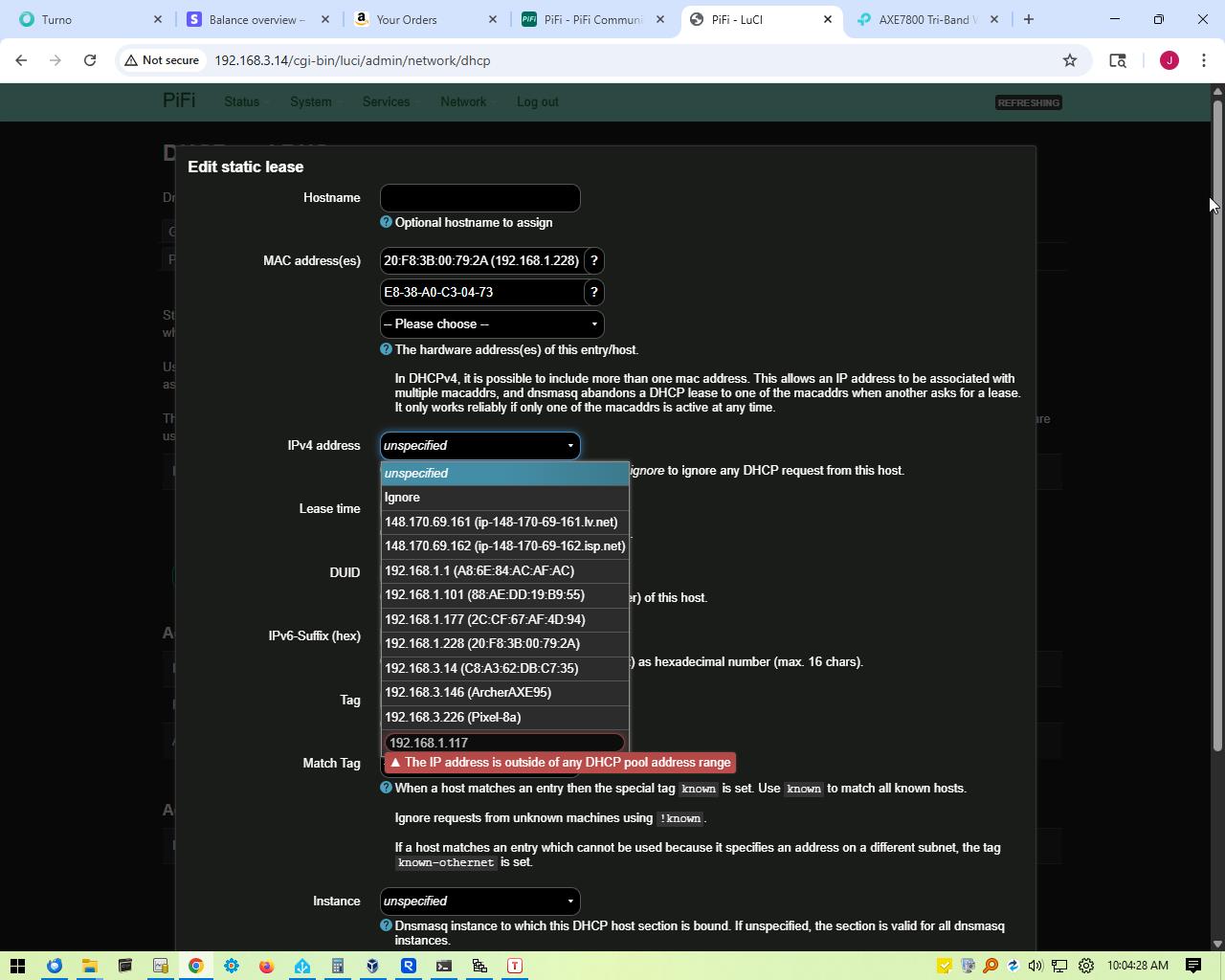
I’m quite far along in my setup, now I am attempting to enter “Static Leases”
It is saying “The IP address is outside of any DHCP pool address range”
I am not figuring out what I’m doing wrong, or missing any data input.
So far I am really liking my new Pi 5 and Pifi kit.
I have over 50 years of computer experience, this is my first foray into Raspberries!
I have attached a picture, ask me anything!
Thank you for the help!
John
I’m not mad by any means, just wanna know what I did wrong! *
Oh, man, did THAT create a Big Problem! Since my current router (Tplink) uses 192.168.1.1, I said, “Well, set the PiFi to 192.168.1.3”
Not only did THAT require a complete RESET of the PiFi, but it ALSO Bricked my Tplink Router! I no longer had ANYWAY to log into it!@! I had to ‘factory reset’ the Tplink, then restore from a backup .bin
So, I was currently back running, Internet passes through, all systems go, the PiFi is at 192.168.3.14 again.
I tried setting the Router to 192.168.1.3, but that made all of the internet connections stop. Everything still points to 1.1 as the ‘gateway’?
So, if I set the PiFi to 1.1, (the go between modem and router) and the Tplink to 1.3, would that work? Not brick anything again? But Internet would work?
I should state that the ‘main reason’ for me getting into the PiFi is because my router only allows 64 ‘address reservations’ in the DHCP table. I have tried other routers, the only one with ‘99 addresses’ was the LinkSys open source AC1900, but that thing cant talk to ANYTHING more than 12 feet away! My second choice was PiHole, but for whatever reason they stopped selling it to anyone in the United States. So, I asked AI what router has good coverage and at least 70 address reservations. It said PiFi! I had never heard of it…but I got it now!
So, I apologize for the long winded dissertation, I just want this setup to work! I cannot thank you enough for the help!
John
I don’t see why setting PiFi to 192.168.1.3 would’ve required a full reset, did you do that change via the PiFi app or another method? (Also, a third-party router can’t really “brick” another one. What likely happened was a LAN IP conflict where both devices were trying to run DHCP or act as the gateway on the same subnet.)
My advice, and the safest way to avoid LAN IP conflicts, is to keep PiFi’s LAN IP at its stock setting of 192.168.3.14.
If it’s stuck on a different subnet, just factory-reset PiFi (remove USB, wait 2 minutes, reinsert when you see PiFi 4/PiFi 5 Setup) and it’ll revert to 192.168.3.14.
Keeping PiFi on 192.168.3.14 is simple and reliable — there’s no technical reason to switch to 192.168.1.x.
Right now:
PiFi is happy at 192.168.3.14.
TP-Link is at 192.168.1.1.
They’re on different subnets, so there’s no risk of DHCP or gateway conflicts.
If your goal is to use PiFi as your main router/DHCP server (and unlock lots of static leases), just leave it on 192.168.3.x. Devices don’t care about the subnet; they’ll use whatever gateway/DNS is handed out.
Only switch to 192.168.1.x if you really want everything numbered consistently or have devices hardcoded to 192.168.1.1. Just note that’s where conflicts with other routers are most likely to happen.
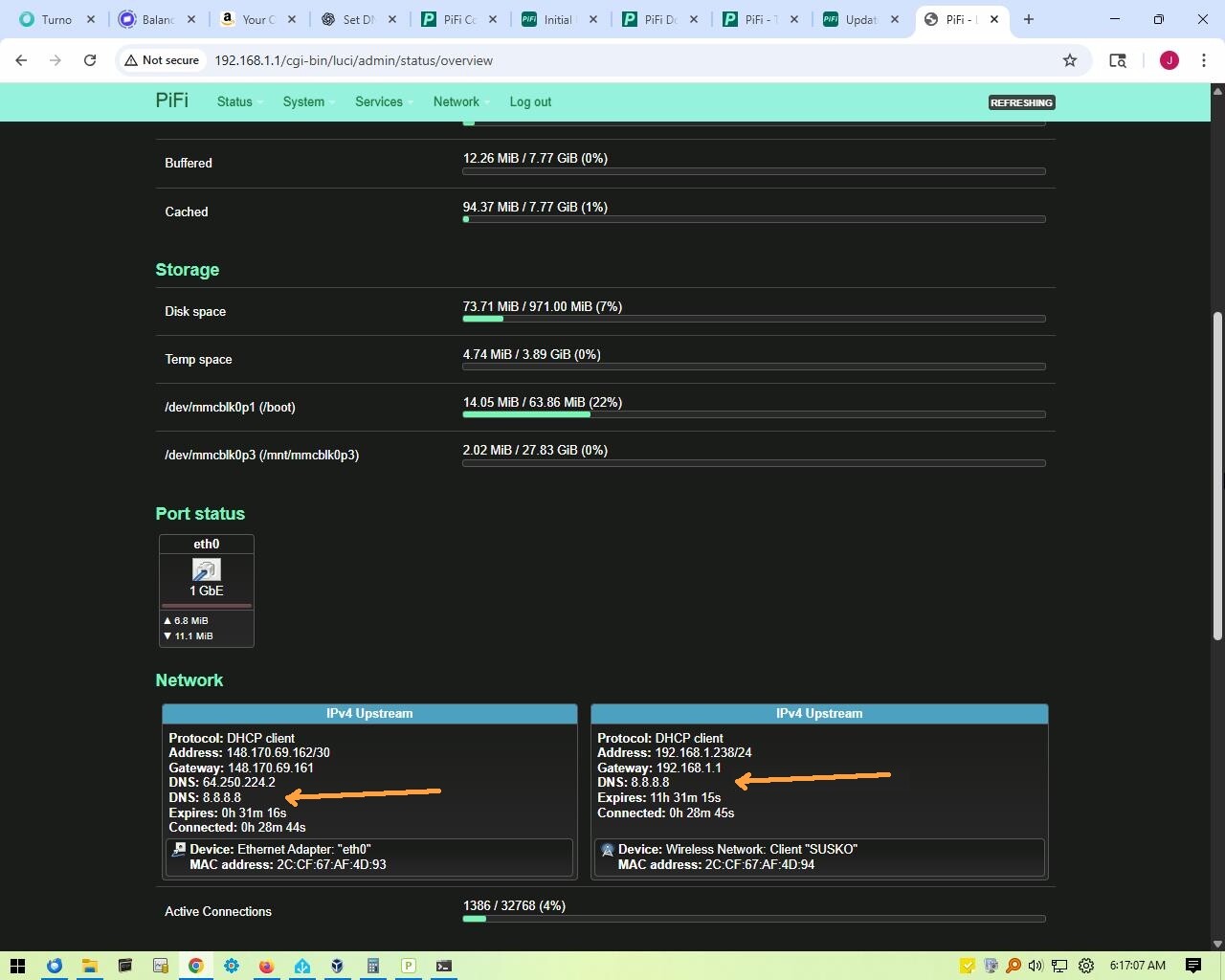
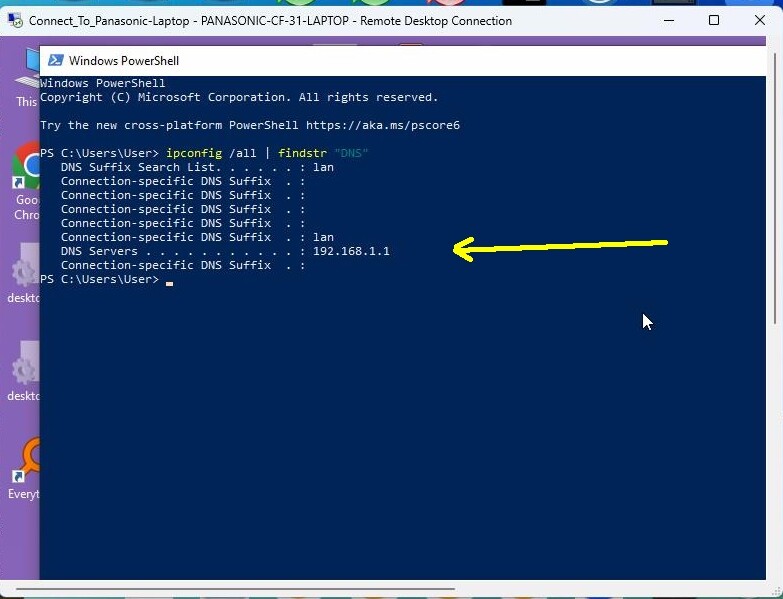
Well, long time no chat! I finally got this system 97% perfect. PiFi is at 192.168.1.1. (I have way too many IOT gadgets hardcoded to 1.1) Wireless Tp Link Access Point is at 192.168.1.3. What appeared as a bricked TP Link was the stupid thing deciding to set itself to 0.1 So with the right order of ‘setting’ and ‘booting’ we are almost golden. My LAST PROBLEM is this: The PiFi does not seem to want to ‘hand out’ to the IOT gadgets the desired DNS, which is good 'ol 8.8.8.8 It is handing out 192.168.1.1
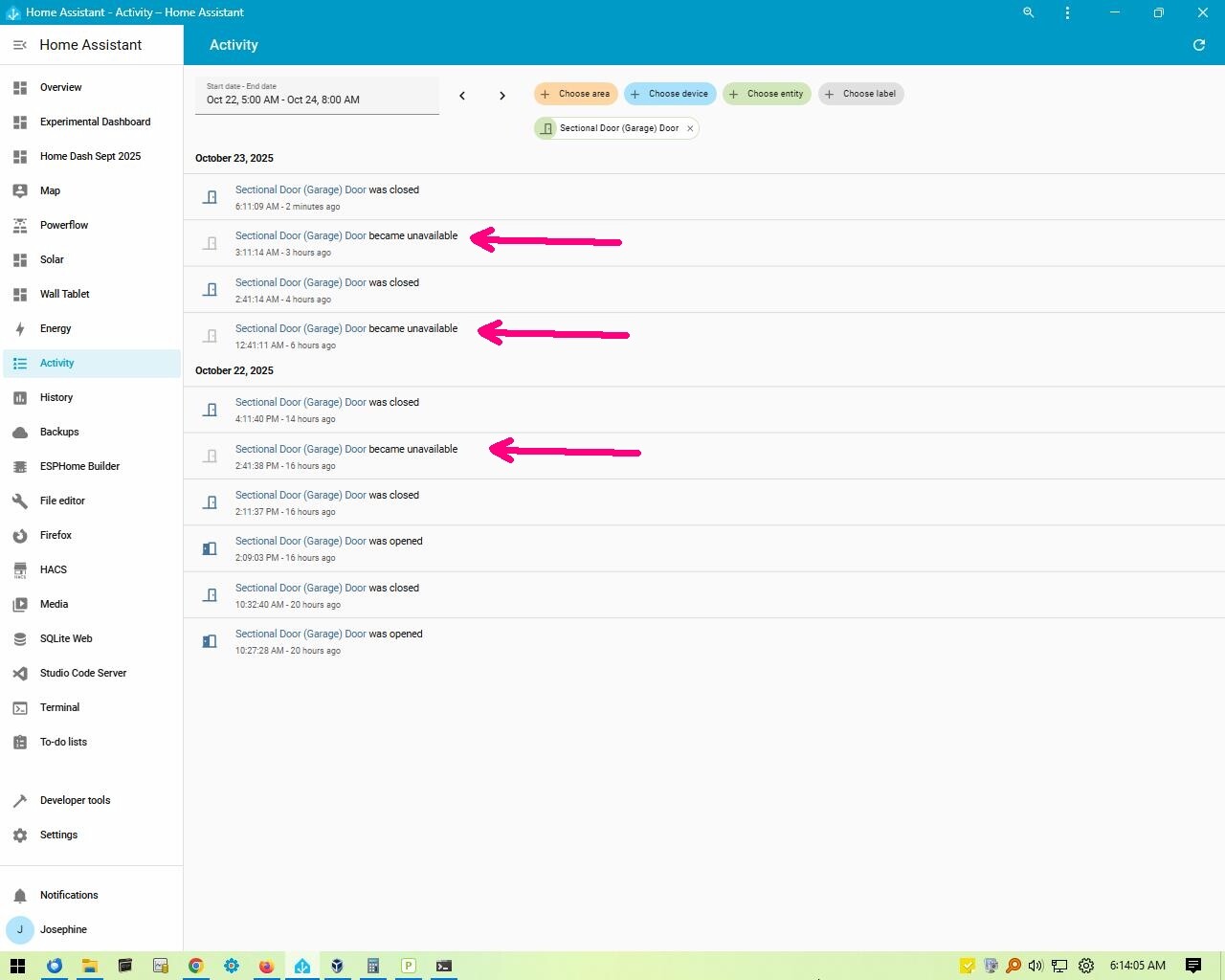
So, what we see is that the ability to see the internet fades in and out on these devices, with really no time/reason. The results of IOT that are ‘web enabled’ is ‘unavailable’. TV sets can’t do much of anything. HVAC thermostats lose the outdoor temperature when the unavailibilty occurs. Some of our devices can have the DNS manually set, which solves the issue, but some cannot have DNS manually set. Laptops and tablets lose internet connectivity unless their DNS is manually set.
I ‘SSH’ ed into the PiFi, I was going to peek at the actual files, but it seems that editing commands that I am familiar with do not work, like SUDO.
I sincerely appreciate any help you can supply!
thanks! John