Issues setting up PBS app to view remote

I’m trying to set up a Roku so a dementia patient can watch New York public television in Kansas City.

I have both the Roku, and my phone hooked up via the PiFi, but when I’m trying to authorize the PBS app on the, it doesn’t give me a code.

Instead it just shows me “Sorry! The…”

Has anyone dealt with this?
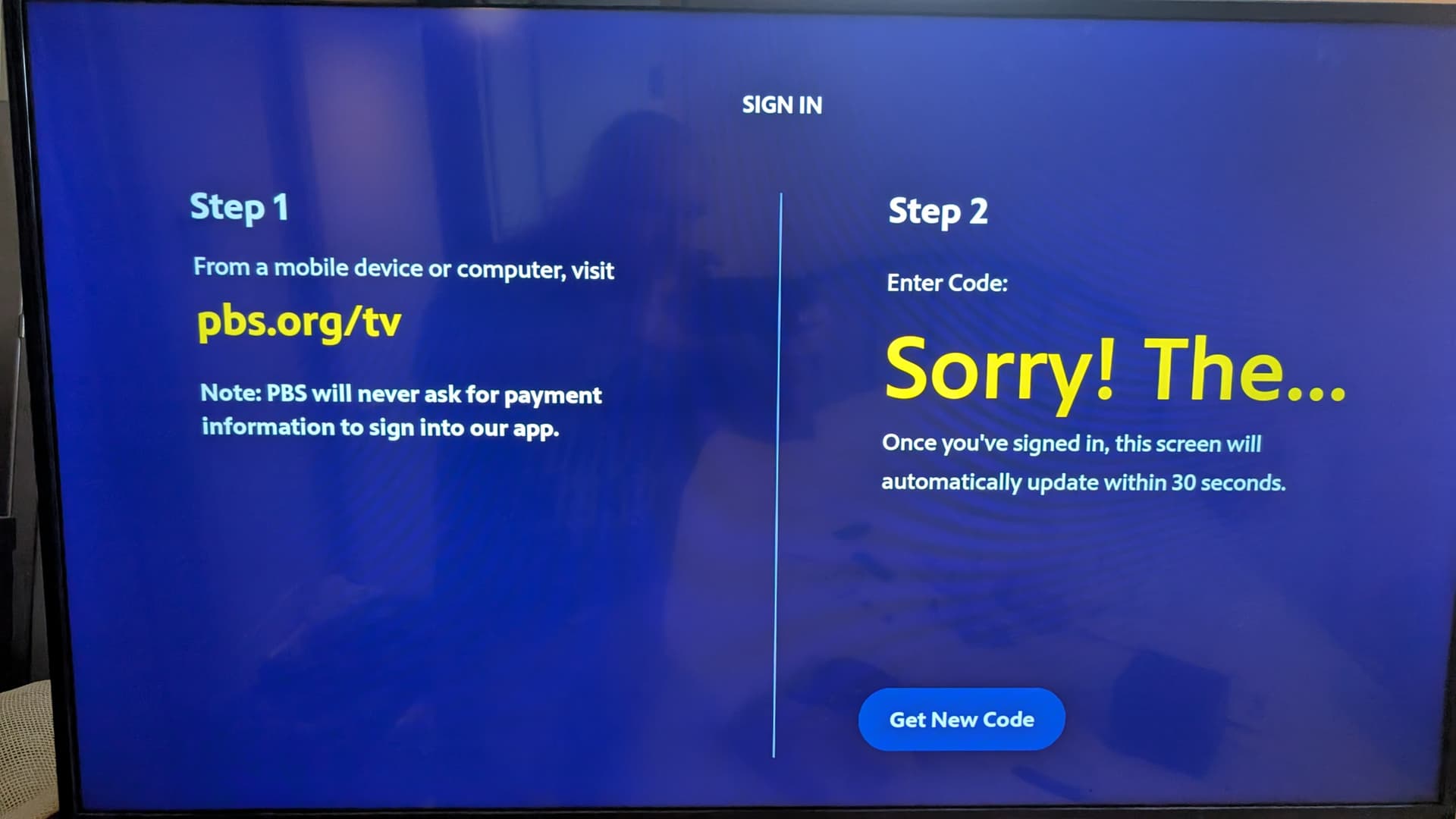
The “Get New Code” button does nothing.

Are there ports that I need to map open? I’m using a Ubiquiti router. The PiFi is connected via DHCP, but I can set it to a static and map whatever ports are necessary.

This is a Raspberry Pi 4, and I am getting 66 Mbps. I am using SurfShark, and I know the VPN is working, and my phone is connected to it right now so I can post this.

I know that it’s working correctly, because when I visit pbs.org on the phone that is also on the vpn, it shows me the New York version of the website, for WNET 13.

Edit: Google Gemini suggests:

Roku devices don’t have built-in VPN support, so you can’t install VPN software directly on them. To use a VPN with a Roku, you need to configure the VPN on your router or share a VPN-enabled connection from your computer.

Therefore, the ports that might need to be opened for a VPN connection are not directly related to the Roku itself, but rather to the VPN protocols used on your router or computer.

Here are the ports commonly used by different VPN protocols:
OpenVPN:
UDP: 1194
TCP: 443 (often used as a fallback or for obfuscation)
WireGuard:
UDP: 51820

IPSec/IKEv2:
UDP: 500
UDP: 4500
IP Protocol: ESP (value 50)
PPTP:
TCP: 1723
IP Protocol: GRE (value 47)
SSTP:
TCP: 443

I tried setting up a brand new television set, while connected via the VPN, I had the exact same problem. Could someone try hooking up to a remote PBS station? Thank you.

This was all set up with Wireguard. Have people had more luck with OpenVPN?

One possibility is that the VPN server IP is detected/blocked by PBS or by the auth partner they’re using so can try swapping server/rebooting Roku

I’m assuming you’re connecting to United States Surf Shark?

OpenVPN isn’t likely to make a huge difference tbh

If you’re open to a temporary workaround to generate the code (this works on some apps):

  1. Connect your streaming device directly to non-VPN internet - actually do it on non-PiFi so just regular wifi.
  2. Open PBS app, get the sign-in code.
  3. Go to PBS App Sign In and enter the code.
  4. Re-enable VPN router after successful sign-in.

P.s If code shows on regular wifi but not PiFi with VPN off, then it could be AdGuard Home related. See how to disable that here How to enable/disable adguard on Pifi - #2 by pifi

I had to get something working, so what I ultimately did is I moved to a Amazon FireTV, has a Surfshark app available. I would answer the code on a Google Pixel tablet that I had, connected up to the Pi-Fi. After that, I would start the VPN using the FireTV and then I could launch the PBS app on the TV.

In short, I didn’t solve the problem, but I got something working. And I don’t actually have the PiFi in the loop.

But a 94 year old dementia patient is able to watch her television shows.

1 Like